Thursday, November 26, 2020

Made It to the Fall Break

 Wow! What a year! I'm not just talking about 2020, but I am also referring to last school year 2019-2020 and the current school year 2020-2021. Last school year was my first back in the classroom after an amazing experience with the Albert Einstein Distinguished Educator Fellowship Program. I highly recommend this program, so please feel free to reach out with any questions. Not only was I back in the classroom, but I had shifted from a specialist teaching engineering to all kindergarten through fifth grade students engineering once a week to a general classroom educator teaching third grade students. Some big shifts but ones I looked forward to. In fact, I was having such a wonderful experience with my group of students that it was fairly devastating when school shut down in mid-March. I had events and plans that I was looking forward to sharing with the students that never came to fruition. I did my best to make lemonade out of lemons and continued on.

The week before school started for the 2020-2021 school year, I was notified that I would have to change schools and grade levels. I shifted once again from teaching third grade to teaching a first and second grade Gifted and Talented group. We started all virtual, so that gave me plenty of time to settle in. Then we moved to a hybrid schedule where we were all virtual on Monday and half the students came on Tuesdays and Thursdays while the other half attended on Wednesdays and Fridays. On the days students weren't attending, they worked independently on their assigned work. I have been using Seesaw for classroom management and assignments. Before the Thanksgiving break, we received word that we would be teaching all virtual again after break and at least through January 15. This time we could teach from home and report in to school as needed. The opportunity to teach from home makes it easier to do activities such as make pancakes to work on fractions and more STEM related activities. I will try to submit activities from the all virtual at home time.

I can't believe we have made it almost half way through the year. Although it wasn't a year I hadn't exactly planned for, I have enjoyed getting to know my students and their families. I have also enjoyed getting to know staff members at the new school. Even though so much of this year has been out of my comfort zone, I feel satisfied with what I have been able to accomplish so far. I am learning and growing each day, and I think my students are too. I couldn't ask for more from a school year, let alone, a school year in 2020.

Monday, November 23, 2020

Holiday Purchase Recommendations

I have never publicly given recommendations for coding purchases for students. Nevertheless, I often have families ask around this time of the year, what would be a good purchase for their student. In our classroom, we use both drag and drop, Scratch, and text-based coding, Junior Botball. With that in mind, I recommend to my families a tool that could do both. Drag and drop is nice to have for younger students who may get easily frustrated with text-based coding, but the text-based coding allows students to grow in their coding skills. You would need to decide what the goals are with your purchase.

This is in no way a comprehensive list, but just some of the ones I am familiar with. There are options beyond robots. I have listed a variety here. 

Robots

Makebot mBot - (different robots, both drag and drop and text-based coding) https://www.makeblock.com/mbot/
mBot is a STEAM education robot for beginners, that makes teaching and learning robot programming simple and fun. With just a screwdriver, the step by step instructions, and a study schedule, children can build a robot from scratch and experience the joys of hands-on creation. As they go, they will learn about a variety of robotic machinery and electronic parts, get to grips with the fundamentals of block-based programming, and develop their logical thinking and design skills.

LEGO Boost - (I don't think this has text-based coding, but I could be wrong. As a LEGO product, he could add on with exist building pieces at home.) https://www.lego.com/en-us/product/boost-creative-toolbox-17101
Bring your LEGO® creations to life with the new LEGO BOOST Creative Toolbox—a fun and easy way for your 7+ builder to learn the basics of coding, engineering and robotics. Simply choose one of the 5 models available with the BOOST set, download the free, easy-to-use app and you’re ready to go! Choose between Vernie the Robot—a moving, talking robot; the M.T.R.4 (Multi-Tooled Rover 4)—a robust, versatile rover with 4 different tool attachments including a spring-loaded shooter; the Guitar4000—a musical instrument with pitch bend and sound effects; Frankie the Cat—an interactive robot pet that plays, purrs and expresses its mood; or the AutoBuilder—an automated production line that really builds miniature LEGO models! Then bring your creation to life with the app’s intuitive, icon-based coding interface and complete an array of exciting activities designed for each model. With LEGO BOOST, children learn about loops and variables, improve STEM and creative-problem solving skills and develop their imagination as they toggle between guided and open-ended play. The more activities you complete, the more coding blocks you unlock! The LEGO BOOST app is available for selected iOS, Android and Kindle smart devices. Please go to LEGO.com/devicecheck for a list of all compatible devices. The app offers regular updates with new challenges and coding options designed to encourage social play.

UBTECH JIMU Robot - (I taught virtual summer camps with this company's robots. They just donated 20 to the school. I do not think there is a text-based coding option, but I am not sure. I taught beginners.) https://www.amazon.com/UBTECH-JIMU-Robot-Builderbots-App-Enabled/dp/B07GQ7FWNZ/ref=as_li_ss_tl?dchild=1&keywords=jimu+robot&qid=1602291314&sr=8-9&linkCode=sl1&tag=teachyourkidscode-20&linkId=ba0f0a276797295509164589a27125fe&language=en_US
JIMU robots are interactive codable bots that help kids learn hands-on engineering by programming JIMU using Blockly code. JIMU robots can be programmed to navigate obstacles, pick-up objects, and much more! Some of the pieces and parts of this kit are proprietary and enhanced - which allows these bots to move more smoothly and sense things other bots on this list may not be able to. For the advanced builder/coder, this might be a very nice feature! You will need access to an iOS or Android-based device for this kit. The app that can help you build the robot of your choice can also work as a block-based drag-and-drop coding platform. If you are looking for a robotic kit that combines creativity, functionality, and education, you have found it!

Edison Robot 2.0 - STEM Customizable & Programmable Robot for Kids (Different ways of programming, but when I used them last, it wasn't as user friendly. That was four years ago and a lot could have changed.) - https://www.amazon.com/Edison-Educational-Robot-Kit-Education/dp/B0747THB7M/ref=sr_1_6?dchild=1&keywords=Edison+2.0&qid=1606169690&sr=8-6
Edison is one of the most affordable robot toys of it’s kind. It’s commonly used in classrooms across the country to teach kids coding. From drag-and-drop block-based coding to text-based coding with Python, one of the biggest benefits of Edison is the diverse robot programming skills available. Edison can be programmed using any of the robot programming languages. One of the best things about Edison is that it can be programmed right out of the box it comes in. When you unwrap your bot, the cardboard packing is actually your first code! Edison can scan barcodes as well as be programmed online with a device. All of the Edison learning documents are free and available online. This is one of the big reasons schools are making Edison a priority - free resources that cover learning from simply scanning codes to Python. 

Non-robots

Raspberry Pi 400 Personal Computer Kit (can use Python or drag and drop, lots of add ons) - https://www.raspberrypi.org/products/raspberry-pi-400/?resellerType=home&variant=raspberry-pi-400-us-kit

Microbit (I haven't used these, but they are on my to-try list.) - https://microbit.org/


We also use the Ozobots in the classroom. We only use them in a basic way, but there are other ways to code them with a device. https://shop.ozobot.com/collections/for-home/products/evo The main robot we have been using is the Botball robot. https://botball-swag.myshopify.com/products/jbc-kit-1yr-curriculum-challenge-access

I hope this helps. There are a lot of choices, it just depends on interests and the goals for the item. My first instinct if I was purchasing them for my child would be to get the mbot or the Raspberry Pi kit. I haven't used the mbot but like what I see. You would want to do some research on user reviews for your top choices.

Sunday, March 22, 2020

Day 5 School Closure - Coronavirus (Thoughts)

My emotions fluctuate between a feeling of "We got this!" and all the things I didn't get to complete with my class. I find out next week the plans for the remainder of our school year. The hurry up and wait for the next shoe to drop is exhausting in itself, not to mention the feeling that I need to constantly stay connected to the news and social media to know the current status of our state, country, and world. I see beautiful things happening and ugly things. I am trying to surround myself with the positive while still feeling tremendous sadness for those who are struggling and will struggle. I am not sure how to occupy my time and take my mind off of the worries and uncertainties. The worries are not just for me and my family but extend to my students, their families, and for all those including those foolish students on spring break that may come to regret their decisions.

On one hand, I feel as though if our district goes to teaching online, I am ready and my students are ready. There are many things we did during the school year that helped us prepare for this possibility. I had already started using checklists that allowed students to move at their own pace to complete the required work. When students completed that checklist, they could move on to a smaller checklist of extension activities. Our class used Seesaw to record thinking, work, and complete assignments. Between the checklists and Seesaw, I think I could easily switch to distance instruction; however, I also know that not all of my students have access to the internet and/or devices beyond a parent's cell phone.

I am going to take a moment to reflect on the things we may not get to do in our class. I wanted to grow plants with my students. We were going to some coding of music with Scratch and primary source sheet music. Students were going to teach lessons to the class and share their expertise with the class. I didn't get to finish up instruction. There are so many loose ends and materials we were going to solidify in the last quarter. I didn't get to say goodbye. My last words to my students were, "I'll see you on Monday." I have two students that never got to be STEM Star Students for the week.

At times, I am worried about the lack of leadership in our federal government, but I have a theory on this as well. In times of tragedy, I believe people will do one of two things, look to and be inspired by a great leader, or, grow as a community and tackle the problem together. I see us working together in our communities and supporting each other, finding humor where we can, and doing our part. Again, I see this as an opportunity to come together over differences to help our country as a whole and bridge the divide.

We had an awesome last day with our STEM Day celebration. I am thankful that students had an amazing day before all of these necessary restrictions came to be. I hope Idaho and our country are doing as much as possible to protect the lives of our citizens and all those who are essential to keeping our medical system and goods and services up and running. I feel bad for being sad about relatively inconsequential concerns of not being able to have time with my students when so many others are dealing with so much worse. But I do have a deep feeling of loss at times. To combat this feeling, I focus on being grateful which I truly am. I am grateful that our district did what was necessary to help our community, state, etc. I am grateful that many of us have what we need to stay at home and take care of our families. I am grateful that there are many ways to entertain ourselves during this time. I am grateful that we may appreciate the people around us and simple pleasures more once all this is over. I am grateful for my family, friends, and my animal companions. This world is a beautiful place and we need to take care of it. Below are some photos from STEM Day to focus a little more on the positive.


Friday, March 20, 2020

Day 4 School Closure - Coronavirus

I didn't really have anything to post for today. There are so many uncertainties for the remainder of the school year and what COVID-19 means for us. I hope we flatten the curve. In the meantime, I continue my daily read aloud for my students.

Thursday, March 19, 2020

Day 3 School Closure - Coronavirus

I have been continuing my daily read aloud and am almost through my first book. I'll need another book by Friday. Read aloud is a nice bit of normalcy for me with all the uncertainties. It makes me have to do my hair and prepare myself similar to a work day even though my dress is more casual than a work day.

Tuesday, March 17, 2020

Day 2 School Closure - Coronavirus

I am working to maintain some type of routine this week since I still need to finish 3rd quarter report cards and complete some applications by their due dates. I am trying something to offer my students a bit of normalcy. My students have always enjoyed read aloud. I read aloud during our normal time via my class Instagram page. Then I shared a recording via email and the Seesaw app. I wanted to try and reach all my students in case any of them were interested. Perhaps they are just celebrating an early spring break, but just in case they are picking up on the odd vibe and stress, I wanted to give them the idea that we can do this. It felt odd reading by myself on my porch. I was a little nervous about doing the recording, but it will get easier. I wasn't sure if any students had watched. I noticed some people watching during the live session. I was so nervous that I didn't pay attention to that. Today, I will pay attention to those that may be watching live and say hello. I received a wonderful email yesterday evening from a parent thanking me for doing this. Based on the email, I think it provided the experience I was hoping for with her student. This is a challenging time; however, we are very lucky to have the resources we do to still connect. I am ready and excited for today's read aloud. We got this!

Monday, March 16, 2020

Day 1 School Closure - Coronavirus

Today is an odd day, but it's simply a weird time. This was supposed to be our last week before Spring Break. I had plans to record my video for my PAEMST application and wrap up various oose ends for projects. I never really expected that we wouldn't have school this week. I knew the coronavirus was a serious issue, but have never lived during a time like this. I completely support the closure of schools to mitigate the impact of the coronavirus. I worry about my students and their families and have never experienced so many uncertainties. It doesn't look like my students will be able to compete in robotics. Nevertheless, I want to help my students to adjust to these changes. My spring break doesn't start until next week and I have a couple of ideas on how to connect digitally with students if they choose to. I have also been thinking about the possibilities after Spring Break if the closure continues. I will continue to look for the positives and the "helpers." I will do my best to do my part and keep an uplifting attitude. I am going to try doing read aloud live on Instagram for a little treat for my students. I also am going to take the time to share aspects of my home in rural Idaho with them. I just want them to know it's OK.


Saturday, December 14, 2019

Resources for the Classroom and Educators

We are very lucky to have numerous resources available to us as educators. Some are free, while others are pay services. It can be challenging during the school year to use newly found resources, so I have a habit of saving links I come across on social media on my phone by leaving the tab open in Chrome. Here are a few so that I can close those tabs and still have easy access to the resources. It's not exciting to look at but holds a variety of free resources for use in the classroom, professional development, grants, and conference possibilities.

Classroom:


http://stemteachingtools.org/ - The STEM Teaching Tools site has tools that can help you teach science, technology, engineering and math (STEM). We are currently focused on supporting the teaching of the Next Generation Science Standards (NGSS). Each tool is focused on a specific issue and leverages the best knowledge from research and practice. 

https://www.sanfordharmony.org/ - Sanford Harmony is a social emotional learning program for Pre-K-6 grade students designed to foster communication, connection, and community both in and outside the classroom, and develop boys and girls into compassionate and caring adults.


https://orise.orau.gov/stem/k-12/index.html - Recognizing that it is never too early to excite students about science education, ORISE offers a variety of STEM education opportunities for both students and the teachers who will be inspiring them. As more teachers are able to connect authentic research with classroom curricula, the more likely students will pursue careers within the scientific workforce.

https://www.weareteachers.com/team-building-games-and-activities/ - Team-building games and activities are a great tool for helping students learn to work together, listen carefully, communicate clearly, and think creatively. They also give your students the chance to get to know each other, build trust as a community and, best of all, have some fun! Here are 33 team-building activities that will teach your students these skills and more.

https://www.notsowimpyteacher.com/2019/07/first-week-of-school-lesson-plans.html - Lesson planning is always a bit tricky, but planning for that first week back to school is extra challenging! How much time should we spend teaching procedures? How can we get to know our new students? How can we make the first week fun? When should we start with the curriculum?

https://www.cilc.org/Interactive-Content/Zoom-Live-Streaming-Events.aspx - During this school year Zoom is sponsoring at least 2 streaming programs per month on CILC! These programs are presented by some of our TOP content providers at no cost to all CILC members. See below for a variety of topics, times and grade levels and to register for the programs.

https://hearthookhome.com/teach-children-to-crochet/ - What is better than being able to crochet for children? Being able to teach children to crochet, that’s what! Crocheting gives children a sense of accomplishment while fostering their creativity. Teaching a child crochet opens them up to so many crafting possibilities, so let’s make that easier on all of us!

https://www.nasa.gov/stem/artemis.html - Going forward to the Moon will be the shining moment of our generation. This moment will belong to you–the Artemis generation. Are you ready?

https://www.nsta.org/corteva/ - “Now, more than ever, it is important for students to have access to high-quality, hands-on activities and experiences that expand their perspectives about science,” said David Evans, NSTA executive director. “Agriculture provides a unique opportunity for teachers to engage students in science, technology, engineering and math (STEM) concepts in a way that directly
and indirectly impacts their lives. We are thrilled to collaborate with Corteva Agriscience to
provide teachers with dynamic, real-world content that will enhance student engagement and
provide students with relevant examples of how their learning is linked to the agricultural world
around them.” 

https://www.edsurge.com/news/2018-02-14-why-taking-risks-in-the-classroom-pays-off-for-students-and-teachers - "For the past 13 years, I have been a social studies teacher at the middle school level. I’ve taught in a few districts with unique missions and priorities, but one thing that has remained constant is the fact that to make sure that learning remains engaging and relevant for the modern learner, risk-taking in the classroom is a necessity."

https://www.nasa.gov/stem/foreducators/k-4/a-year-of-stem.html - Make this your best year of teaching so far. Plan a year of involving your elementary school students in exciting, real-world science, technology, engineering and math, in a variety of ways with NASA and its partners. Some of these opportunities take minutes, and some require more planning. Click and print the checklist. Use the links below to find more information and to stay current, as details may change. Let this be a year of authentic learning with NASA STEM Engagement.

https://www.aiaa.org/get-involved/students-educators/k-12-teacher-resources - AIAA supplies teachers with all the tools they will need to stir the curiosity of their students, and those tools are fun, engaging, and, mostly, “hands-on,” to ensure the students thrive in their learning environment. From classroom grants, to standards based projects, to Aerospace Micro-Lessons, AIAA is committed to providing students with exceptional learning experiences, and teachers with the tools and resources to create those moments.

https://www.lawrencehallofscience.org/do_science_now/science_apps_and_activities - Are you looking to explore the surface of the Sun from your phone? We have an app for that! The Lawrence Hall of Science continues its long tradition of excellence in educational technology with a suite of new apps that explore hands-on science and important health topics.

https://www.nationalgeographic.org/education/classroom-resources/ - Bring National Geographic to your classroom through lesson plans, maps, and reference resources.

http://dailystem.com/ - dailySTEM is created by Chris Woods, a HS Math Teacher, Education Presenter, & Host of the STEM Everyday Podcast

https://ditchthattextbook.com/how-to-create-a-digital-escape-room-for-your-class-or-pd/ - Digital escape rooms offer the same experience as physical escape rooms in a more manageable way. Read this post to learn how to create them yourself!

http://www.fortheteachers.org/instructional_strategies/ - We know that students learn best when they are truly engaged in what they are learning, when they have the opportunity to explore, debate, discuss, examine, defend, and experiment with the concepts and skills they are ready to learn.

https://www.edutopia.org/article/3-ways-ask-questions-engage-whole-class - These techniques guide all students to process course content and then actively demonstrate their learning.

https://www.sciencebuddies.org/teacher-resources - Hands-on STEM for Your Classroom

https://edu.google.com/teaching-resources/?modal_active=none - Explore resources and tools created by Google to inspire creativity, encourage hands-on learning, and equip your students with digital skills.

https://web.seesaw.me/ - Seesaw is the best classroom app for meaningfully engaging students in their learning

https://www.tinkercad.com/ - Tinkercad is a free, easy-to-use app for 3D design, electronics, and coding. It's used by teachers, kids, hobbyists, and designers to imagine, design, and make anything!

https://scratch.mit.edu/ - Scratch helps young people learn to think creatively, reason systematically, and work collaboratively — essential skills for life in the 21st century.

https://code.org/ - Every student in every school should have the opportunity to learn computer science

Professional Development/Opportunities:


https://www.discoverspace.org/education/for-educators/teacher-liaisons/ - Teacher Liaisons are extraordinary educators who use space-related education programs and principles in the classroom to act as advocates for space-based education in their schools and districts. If selected for the program, they receive Space Foundation training and resources to further integrate space into their classrooms. The program is open to public, private and homeschool teachers, as well as school administrators, principals, specialists, curriculum and instruction developers and others who deliver education programs to students.

https://www.irex.org/program/opportunity-us-k-12-teachers-fulbright-distinguished-awards-teaching-research-program - The Fulbright Distinguished Awards in Teaching Research Program provides an opportunity for K–12 educators from the United States to conduct research and engage in other professional learning experiences abroad for three to six months. Fulbright Distinguished fellows complete individual inquiry projects on a topic relevant to education in the United States and the host country, take courses at a host university, and share educational practices with colleagues.

https://www.irex.org/program/opportunity-us-teachers-fulbright-teachers-global-classrooms-program-fulbright-tgc - The Fulbright Teachers for Global Classrooms Program (Fulbright TGC) is a year-long professional development opportunity for elementary, middle, and high school teachers to develop skills for preparing students for a competitive global economy. Fulbright TGC equips teachers to bring an international perspective to their schools through targeted training, experience abroad, and global collaboration.

https://stemtlnet.org/ - Working together to improve schools, effect policy, and re-envision the future of STEM teaching and learning.

https://orise.orau.gov/stem/k-12/competitions-for-educators.html - Monthly competition for classroom materials and funds

https://orise.orau.gov/stem/k-12/teacher-professional-development.html - Variety of STEM professional development opportunities

https://www.teachingtraveling.com/teacher-appreciation-travel-opportunities/ - The author of this amazing resource is an educator named Andi Webb who was previously featured on Teaching Traveling in the interview entitled, “18 Teacher Travel Grants.” That article has been read by thousands of people so far, but Andi realized there were countless other opportunities that are not mentioned there.

https://stem.idaho.gov/apply/ - Applications for professional development and resources

https://www.polartrec.com/educators - PolarTREC has several activities, opportunities, and resources for educators to learn more about the polar regions and polar science. Navigate through the features of this page to learn more about the PolarTREC program, explore ways to participate in research experiences or the polar science online course, and search for resources to teach about the polar regions.

http://www.infosys.org/infosys-foundation-usa/pathfinders/ - The Infosys Foundation USA is pleased to host immersive professional development opportunity in computer science (CS) and making. All K-12 US public school teachers are welcome to apply. Teachers from all disciplines are encouraged to apply. Special consideration will be given to teachers from high-needs schools and under-represented communities, those new to teaching CS and making, and districts demonstrating significant commitment to these subjects.

https://www.nationalgeographic.org/education/professional-development/ - Explore opportunities and programs for K–12 educators

http://www.loc.gov/teachers/professionaldevelopment/teacherinstitute/ - Immerse yourself in the practice of teaching with primary sources from the unparalleled collections of Library of Congress this summer. Apply to attend a week-long professional development program for K-12 educators in the nation's capital.

https://www.uspto.gov/learning-and-resources/outreach-and-education/national-summer-teacher-institute - Each year, the United States Patent and Trademark Office (USPTO) conducts the National Summer Teacher Institute (NSTI) on Innovation, STEM, and Intellectual Property. NSTI combines experiential training tools, practices, and project-based learning models to support elementary, middle, and high school teachers in increasing their knowledge of making, inventing, and innovation. The central focus of the Institute is on the creation and protection of intellectual property—this includes inventions, knowledge discovery, creative ideas, and expressions of the human mind that may have commercial value and are protectable under patent, trademark, copyright, or trade secret laws. Intellectual property is modeled as both a teaching and learning platform to help inspire and motivate student achievement in science, technology, engineering, and mathematics (STEM) disciplines, computer science, and other fields of study such as innovation and entrepreneurship.  

Grants:


https://stem.idaho.gov/apply/ - Different due dates

Conferences:

https://www.stemleadershipalliance.org/ - STEM Leadership Alliance July

http://www.edfesthawaii.org/ - March

https://conference.iste.org/2020/ - International Society for Technology in Education June-July

https://www.iteea.org/ITEEA_Conference_2020.aspx - International Technology and Engineering Educators Association March

https://spacecenter.org/educator-resources/teachers-seec/ - Space Exploration Educator Conference (SEEC) February

https://www.nsta.org/conferences/national.aspx/ - National Science Teaching Association March

https://www.nche.net/conference - National Council for History Educators March

https://ncce.org/conference2020/ - National Council for Computer Education (NCCE) March

Note: I plan to keep updating this post with resources throughout the school year.

Saturday, December 7, 2019

After School Botball

We had our first meeting after school on Thursday. I cannot say enough about how much I love teaching students #botball curriculum. Our group is a mixture of 3rd through 6th grade students, and no matter their grade level, they all showed the same excitement in getting their robot to move forward few inches. Using text-based programming is a challenge but empowers the students. It leaves no doubt that these students are coders. I can't wait to see where this takes them. You can learn more about the Junior Botball Challenge program for elementary students and Botball program for middle school and high school students below.

https://www.kipr.org/jr-botball/about

https://www.kipr.org/botball


Sunday, December 1, 2019

Junior Botball Fun! Love these robots!

I became involved in Junior Botball Challenge (JBC) in 2017. The Idaho STEM Action Center offered a grant to receive training and robots. My colleague, Gina Kwid, joined me on this adventure. We worked with students in 3rd-5th grade after school in the 2016-2017 and 2017-2018 school year. When I left the school for my fellowship, Gina continued the program at Galileo STEM Academy during the 2018-2019 school year and added Botball for students in 6th-12th grades. When I returned to the classroom after my fellowship, I ended up in a new classroom, new school, and new district. My administrator supported me in starting up JBC at our school, and the Idaho STEM Action Center offered a grant that allowed me to refresh my skills with professional development and get robots to use with my students. My colleague, the school Librarian, Linda Reuling, joined me on this
adventure.


Since our training in early October, I have been using the robots with my 3rd grade students. Teaching a classroom full of students by myself was a little challenging, especially at the beginning. These students had not faced such challenging work it seems. Many of them did not know how to problem solve other than waiting for me to assist them. In order to maximize their time coding rather than waiting for me to help them, I reinforced my classroom policy of "Ask three before you ask me." Since starting in October, the students have worked through a variety of activities in the JBC Curriculum. Initially, it took a significant amount of time for students to connect to their robot or wallaby. It's important to know it will get better. Our class worked with the robots at least twice a week to keep the skills fresh and growing.


Now, the majority of students are able to get connected without assistance. In addition, most connecting issues can be resolved by other students. This frees me up to work with students that are having bigger issues with their programming or understanding an activity. With the skills developed, I can now manage an entire class of 3rd grade students programming at the same time. As students became more adept at completing activities, I gave them the challenge of designing their own robot challenges. Seeing their smiles was all I needed to know they were ready to do a little less guided exploration. They have the basic skills that would allow them to test ideas they may have been wondering about.


Students had to write the instructions for their challenge. There were activities posted on the whiteboard from the JBC curriculum for examples. After writing their instructions, students had to code their own challenge before they could post it for others to complete. In addition, before they could post their instructions, they had to have them checked for spelling and other possible errors. We are currently still working on this challenge. Students who have completed their own challenge can continue experimenting with the robots or try other challenges created by their classmates.


In December, our after school group starts and will serve 3rd - 6th grade students. I'm excited to see where all of the students are at on their programming, critical thinking, and problem solving by the end of the school year.


Sunday, November 3, 2019

Authentic Design Projects - Supply Storage

We have completed two design projects so far this year. Both challenges occurred through a natural process of identifying a need and developing solutions. I had initially planned to have students share supplies but that option didn't work out. My initial plan for storage was extra large zip-lock bags to hold their supplies and stored in a filing cabinet. The organization of the bags didn't work well for students to quickly and efficiently access their supplies. As a class, we discussed what might be alternative ways to store the supplies. We identified all the constraints together noting that they had to be movable because students switch seats. They also needed to be accessible but not in the way.


Students then brainstormed ideas. Once they had chosen a solution to develop, they had to create a sketch and label the different materials used. The design focused on using the existing large zip-lock bags as a component for storing supplies. Rather than store them in drawers, students wanted to have them at their tables.


Based on all the completed sketches, we determined a list of materials. Once the materials had been gathered, students set to work creating their solutions.


There were a variety of solutions with similarities. Some worked well and some didn't. Students were given the opportunity to improve their designs with a Supply Bag 2.0.


Repairs and improvements continue to be made as needed. This taught students about creating a solution with durability as well as aesthetics. It will be interesting to see if there has been more iterations of the design by the end of the year.

Saturday, November 2, 2019

I'm still here!

I am thriving in the transition from Einstein Fellow back to classroom educator. I did not return to my same teaching position and have had many changes along the road. I am finally catching my breath and able to spend a little time on my blog.

I am thrilled to be back in the classroom and teaching in a 3rd grade general classroom. One of my big goals for returning to the classroom was to bring the STEM experiences I have had to the students. This is always easier said than done when considering all that goes into classroom instruction. There have been days when I said, "I got this!" and other days when I have to reset and try again. While I have a lot of experience, ideas, and possible resources, I still do not have all the answers, and I am definitely not perfect. I am enjoying learning from my colleagues and my students.

Examining primary sources for a playground design project
I can't believe we are a quarter of the way through the school year. It has felt at times as though I have been on a hamster wheel, except a little more productive. At times, I have to remind myself to slow down and breathe because if I get stressed over things that need to be done, it usually transfers itself to my students.

Counting our unifix cubes
Composing and decomposing numbers


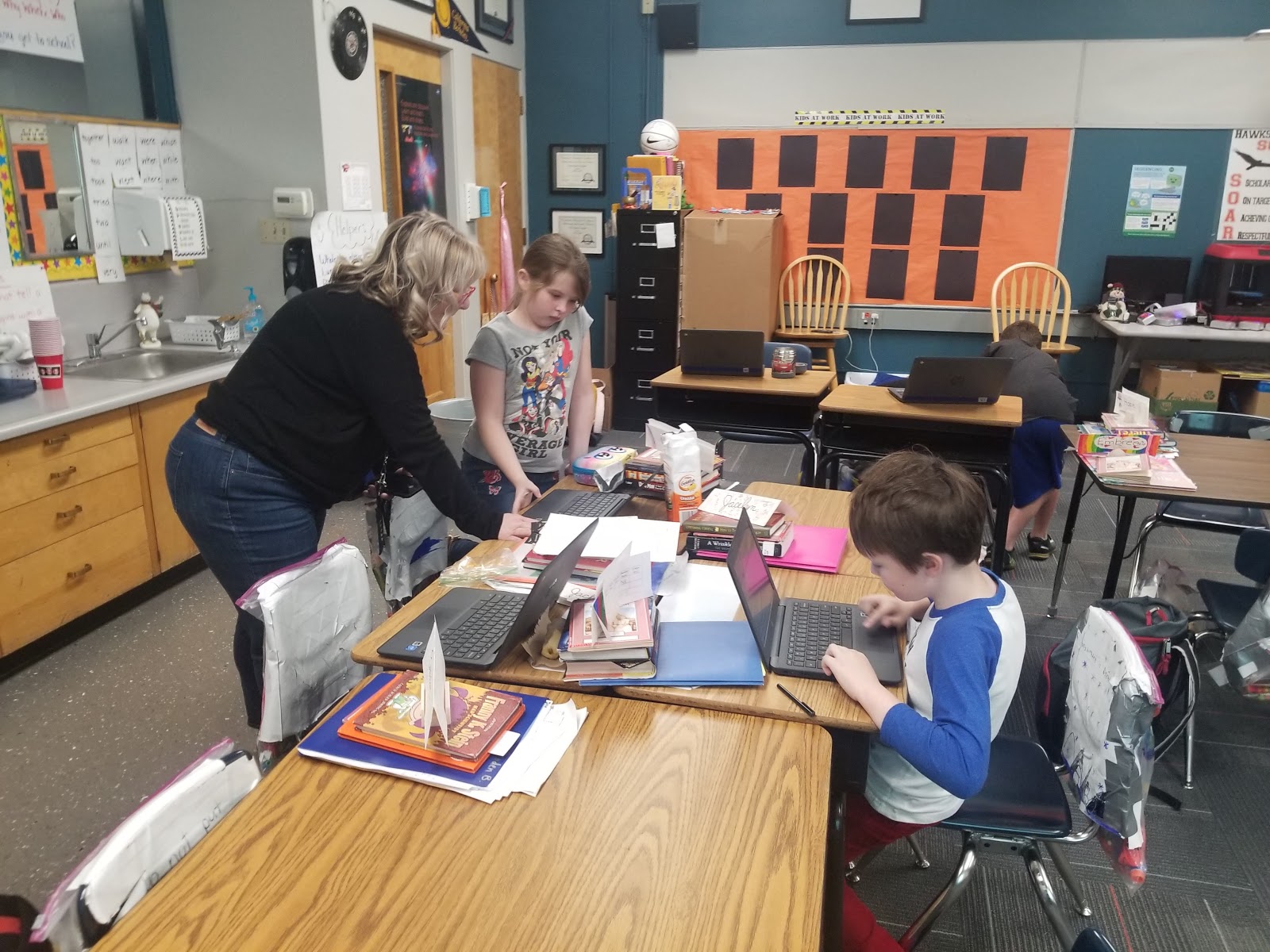
It has been a whirlwind of collaborative activities, projects, and working to integrate STEM instruction into the core classroom instruction. The students do quite a bit of engineering whether through a 3D printing project, prescribed build, or a free build.

Constructing out of cardboard
They share a lot of their project work on Seesaw digital portfolios (web.seesaw.me). The digital portfolios allow me to keep records of student work and performance based assessments. Families are also able to view student work and helps them understand what we are doing in our classroom.

 
Enjoying a little garden time

     
A refreshing game of checkers


A great spot for pleasure reading


Peer assistance with 3D design on Tinkercad


Sharing math strategies

Made It to the Fall Break

 Wow! What a year! I'm not just talking about 2020, but I am also referring to last school year 2019-2020 and the current school year 20...